A short little intro of what Slayer Labs and the Kinetic range are, before we begin, and after that, I will jump into my review of the Kinetic range.
And no, I don’t get any form of kickback or commission for writing this. I do this review to share my experience, simple as that. Before I signed up on Slayer Labs, there was very little information out there on the internetz about the Kinetic Range, but also about Slayer Labs.
Personally, I would have loved to read something similar to this article about Slayer Labs and, particularly, the Kinetic Range before signing up. For this reason, my hope is that this article will provide some answers and info to those feeling the same way.
Slayer Labs – thank you for a great range –> Kinetic Range!
INFO: The video was created by Slayer Labs.
SLAYER LABS
As stated on the website, Slayer Labs provides “networks engineered to exploit” and “Advance your Pentesting skills with completely custom, purposely vulnerable lab networks”. Access to the networks is provided by signing up for a monthly subscription.
At the time this article was written, the subscription cost was 15$/month and six ranges were provided. This article is a “review” (in the lack of a better wording) of one of the ranges named “Kinetic”.
Kinetic Range
- Total Boxes: 25 VM’s – 100% Windows
- Overall Difficulty: Intermediate
- Released: March 2023
- Description: Heavily focused on Windows-related exploits
- Theme: Kinetic Operation PDF (redacted version)
- Unique Features: Fully loaded Windows cyber range with multiple AD domains to pwn!
- Mode: Free-range
- Network: 5 Domains – 6 Subnets
- Continuous Security Patching: False
- Request Access: Send an email to request access and you’ll be processed ASAP.
Learning Objectives
- The entire Windows pentesting lifecycle from Recon to Post-Exploitation.
- Kinetic Range Goal: Provide the user with realistic scenarios and learning opportunities to become proficient in Windows Pentesting.
- Services & Techniques
- SMB – Kerberos – WinRM – IIS – WMI – WebDAV – RPC
- Web Exploits – Password Reuse – Living off the Land – PS Remoting – Tunneling
- Active Directory Attack
- Kerberos & Trust Abuse – GPO Misconfigs – PtH – Attack Path Mapping – DA to EA
- Cred Collection
- MsCachev2 – NTLM – Kerberos – DPAPI – 3rd Party Apps – Cred Manager
Exploits & Tools
- Exploits
- ASREP Roasting – Kerberoasting – Unconstrained Delegation – Golden Tickets – SAM the Admin
- Token manipulation – Follina – PrintNightmare – SharePoint exploits – ACL/ACE abuse & More
- No Buffer Overflows or similar type of reversing or low-level binary exploitation.
- Tools
- Impacket – CrackMapExec – Evil-WinRM – BloodHound – winPEAS – Metasploit Post modules – Chisel – C2’s
- Can be completed entirely on Kali Linux with a few extra tools or an outfitted pentesting Windows machine.
Unique Features:
Multiple Windows Domains
- Exploit your way to Domain Admin multiple times! With 1 primary Domain and 4 others, all engineered to exploit.
- Domains consist of fictional high-tech corporations with an all encompassing story-line providing hints along the way.
- Experiment & tune publicly known Windows exploits to advance your knowledge in Windows pentesting.
Precompiled Windows Tools
- Popular Windows tools such as mimikatz, sharphound, winPEAS and more are compiled and accessible if you wish to use them.
- Saves time downloading & compiling them yourself. Useful to drop and execute on targets.
Custom Cyber Weapons
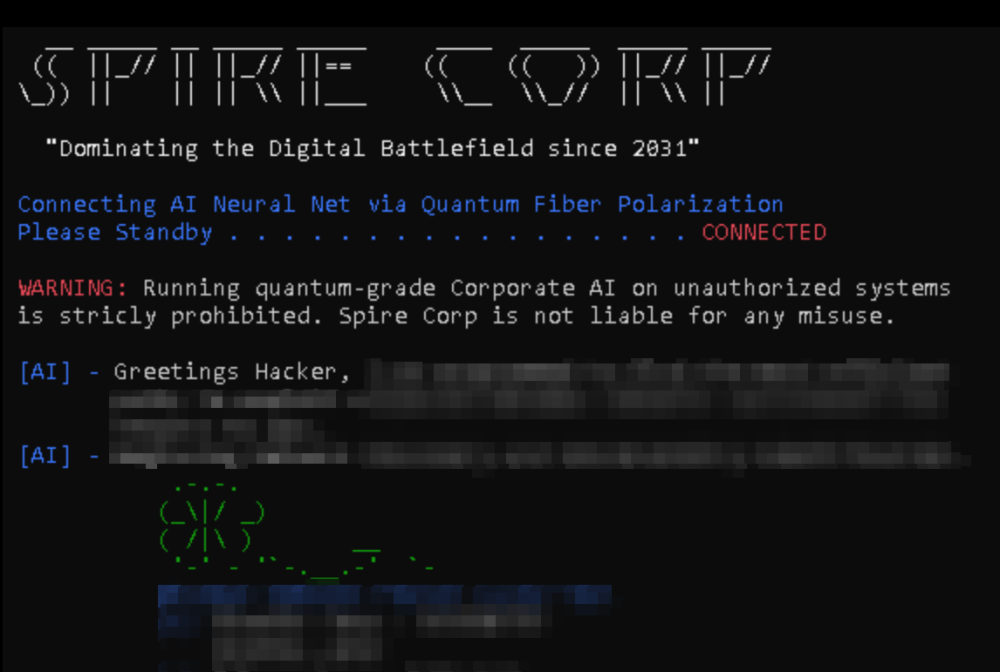
- Discover custom tools within Kinetic, developed by an in-range high-tech company Spire Corp.
- Run these tools and collect juicy files to gain intel and exploit your way throughout the Kinetic networks.
The aboev information is more or less a 100% Copy-&-pasted information from www[.]SlayerLabs[.]com
RANGE EXPERIENCE
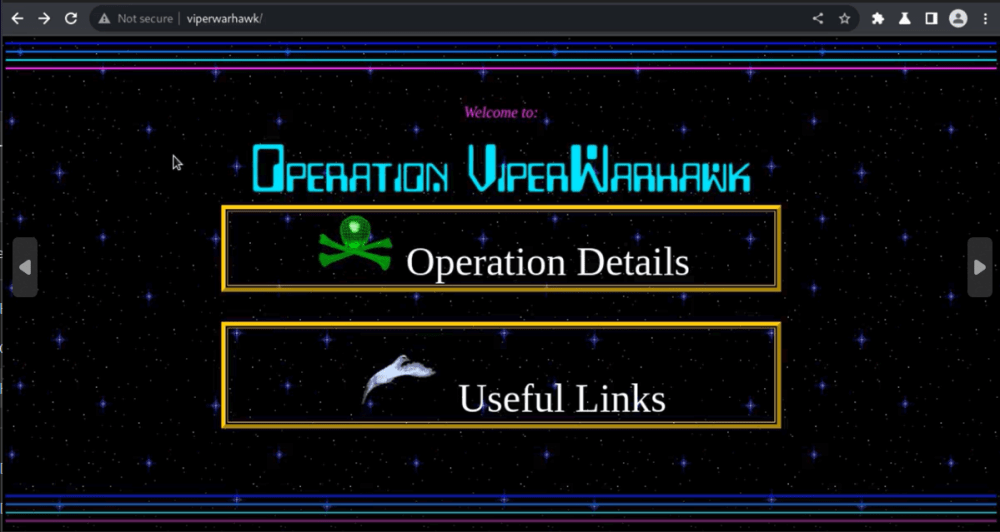
Fun as h3ll and a unique learning experience in a cool-looking and futuristic story mode taking place in a criminal corporation where shady things are happening! The range provides a very cool story, and you will automatically take part in the story as you take on the range. The findings and machines you come across you piece but piece provide you with more and more information about the corporation and what they are up to. The story makes the experience more entertaining and at the same time simulates a real corporation in terms of how, for example, identities, secrets, passwords, information, & data are managed and stored.
The aesthetics and details in the design of, for example, range control, documents, websites, and graphics are dope. The person behind Slayer Labs has a beautiful feeling for graphics and fantasy. And of course, know how things work when it comes to security.
In the Kinteic range, your mission is to take on the role of a penetration tester and conduct a secure assessment of the enterprise.
The Kinetic range, like all other ranges at Slayer Labs, is designed around a theme. Each range has its own. Doing the range kind of brought up the feeling of playing an old school RPG (role-playing game) in an open world environment. My mind went back a bit to the old 2D game named Flashback, which I played on the SNES (Super Nintendo Entertainment System) back in 1993. Flashback was, according to me, one of the best games back in those days, around 1992-1993.
The kinetic range is a free range without a set path to the final objective. There are, though, three different groups of machines giving you a picture of where your adventure starts and where it ends. The findings along the adventure will make this path clearer and clearer by providing you with clues and hints of where to go next or what to look for. Some machines you need to pwn while others you don’t. Once those will become obvious to you as you navigate your way through the range. The same goes for secrets, passwords, and hashes. For example, some passwords and hashes will be useful for lateral and vertical movement, and others won’t take you anywhere. Very much like in a real-world engagement.

You are, though, given information from each machine you own. I highly recommend that you document the machines and your findings in a structured way and actively review the findings along the adventure. This will help you figure things out and better understand how the range is interconnected. Tools such as for example BloodHound and ldapdomaindump will help you, but keep in mind that there are things these tools don’t see or pick up. Being observant of what you see and come across is key. This is also something highly reflective of reality. A finding from one place in a corporate network might show itself to be useful later on in the engagement. You get the idea.
Each ”mission” in the range, i.e. machine and domain, directs you towards the final stage where you are about to take on the ”ultimate end boss”. The ultimate end boss is the last machine. As I don’t want to spoil too much about what waits at the end, I leave it a bit vague, but with a little bit of fantasy and a bit of prior knowledge from other ranges, CTF’s and IRL security testing engagements, you can figure out what kind of machine it is….as the range is based on 100% Windows infrastructure.
The learnings you get from the exposure to the different forms of attack vectors in the Kinetic range very well exemplify a company where Windows infrastructure is implemented and used in a wide range. For example, Windows File & Print, DNS, SharePoint used as a Collaboration platform, Active Directory, webservers (IIS, WebDav) & FTP, Windows client and server endpoints. And if you can look aside from ”how” certain attacks are conducted and take away the ”patterns” you come across, you will learn a lot.
How you spawn a reverse shell and gain initial access to a machine is one thing —> shooting that payload and catching it with nc or a preferred listener. But what was it that enabled it in the first place? What really was the root cause behind that you were able to launch this or that attack, which exploited the identified vulnerability in the first place? Or what was the cause behind that you were able to extract that Kerberos ticket from AD and crack it (= providing you with a cleartext password)? I will get back to this later on in the article, as I think this is where large parts of the learning really take place.
And this is, in my opinion, very much how one should approach learning. Contemplate what you see and experience. Put things into perspective. Doing so, when taking on the Kinetic range from Slayer Labs (or any other range or CTF for that sake), you will increase your offensive security XP in accordance with exposed attack vectors, i.e., Windows infrastructure and Active Directory. Give yourself at least a little bit of time to reflect on what you come across after you pwn a machine or domain. Try to be a little bit critical and see if the things you were exposed to could be applicable to your or your customers’ environment. Here and there, the stuff will not be applicable, but at the same time, the learnings you accumulate might become useful to you later on in your career or future security testing assignments. This is also why I like to continuously update my own security testing methodology. More on this later in the article.
WHAT TO EXPECT & LEARN
So what did I learn, what did I expect, and what can you expect from the Kinetic range from Slayer Labs?
Knowledge is subjective, and everyone starts from somewhere. What you will learn might differ from what I will. If you are an offensive security end boss who completed the hardest labs, chains, and machines at, for example, VulLab, HackTheBox, and/or have done some of the more challenging security certifications targeted towards AD and Windows infrastructure, you will most likely experience this range as “foundational/beginner”. Based on my own knowledge and experience within offensive security, I think the Kinetic Range is an intermediate one, as the range is also categorized by Slayer Labs. You need to understand a somewhat wide range of vulnerabilities and attacks, and do some research and adaptation of known exploits. With this said, I have completed more complex AD chains and machines compared to the technical challenges I faced in the Kinetic range. But as I said, knowledge is subjective.
If I put some of what I just said into the context of security management and leadership, I kind of feel the same way in relation to the CISM certification. I didn’t read the book or prepare for the exam. I didn’t do the studies. I went directly for the exam. For me, the CISM from ISACA goes into the “foundational” category. I think this wording ( —> foundational) is better than saying it’s a “beginner” certification. A person coming directly from school or with a relatively short career in security management will find it hard to pass the CISM exam without studying. But if one has foundational knowledge and experience of security management, one should be able to pass CISM pretty easily. And this is kind of the same feeling I have for the Kinetic range. With foundational exposure to Active Directory and Windows infrastructure from an offensive security point of view, you will do fine. If you have less of it, you will have a very fun and good learning experience. And I also think that to stretch your knowledge and increase your skills, one should always aim a little bit higher from time to time when it comes to challenges. Going to the gym and benching the same weights won’t get you stronger; it will maintain your strengths.
I for sure got some good sparing from the Kinetic Range, as this is the largest range I’ve done to this point. It contains 25 machines, 5 domains, and 6 subnets. I also managed to learned some new things. Here and there, I needed to research stuff I came across and try out things I hadn’t experienced before. The range is, as I said, “free”. There is no given order for how the boxes shall be solved. You are there to accomplish an objective. And your goal to accomplish that objective can take different paths. How my path or your path will look to solve the range will most likely differ a bit. And some parts of the range can be exploited in more than one way. You might start with a totally different box compared to me. And this is also something that is a reflection of how your methodology is constructed. For example, when in your methodology do you perform a vulnerability scan? This is something that should take place early, but —> as this range is not kept updated with security patches, I choose to do a vulnerability scan when I run into situations where I am stuck. When I couldn’t find a way forward. I wanted to test my methodology (which, of course, consists of vulnerability scanning) and see how long my playbooks took me before using a (potentially intentional) exploitable vulnerability available in the range. As you can figure out, I put myself into situations where I needed to struggle a bit more than necessary from time to time, but I’m fully embracing this form of struggle.
And before kicking off my adventure with the Kinetic range, I had an idea of what I wanted to achieve. This helped me to stay on track in relation to what I wanted to achieve —> test my “Active Directory & Windows infrastructure offensive security methodology”. And yes, I also had as a goal to complete the objective for the Kinetic range. Pwn Spire Corp. For me, the Kinetic Range was more about “training” compared to “owning” the range. When I got stuck, as I did several times, I reminded myself that “I’m here to train my skills”. And instead of being stuck at the same place for hours or days, I, from time to time, took on another machine or domain in the range. As I said, the range is “free” which provides you with the opportunity to shift your focus if you want to. This can be a very refreshing option instead of digging those really deep rabbit holes.
I shall, though, say that there were sessions when I didn’t manage to take even a smallest step forward. I was stuck and needed to close some days and sessions without advancing. This can for sure be frustrating, but this is a part of the adventure. It is very rare that people go into a CTF/range and just crack it in 60 minutes or 2 days, as you might see on YouTube. Sure, this happens, but even many very skilled offensive security pros get stuck here and there in CTF’s, ranges, and in their engagements. This is just how the offensive security sport is.
I can say that I was almost familiar with 100% of the things that I experienced in the Kinetic Range. Mainly from a blue/defensive perspective, but also to a high extent from a red/offensive perspective. I have a long hands-on background in designing, configuring, operating, and securing Active Directory & Windows infrastructure solutions. Pretty sick but at the same time interesting that things is were for ~20 years ago still serve me well in my adventure through the kinetic range. Without this knowledge and experience, I would have had a much harder time taking on Kinetic.
With this said, I had a high ”familiarity” with the things I came across in the range, and this is for sure something that is helpful from an attacking viewpoint. I’m a big believer in that if you, as an attacker, know and understand how a certain technology is used from a defensive viewpoint, is used by employees, deployed & operated by the IT team, and established in an organization, you for sure have an edge in the game. You need to spend less time on gaining an understanding of what that certain feature or service is used for. What does the software you come across do? But just because you know what you are looking at doesn’t mean you know exactly how to exploit it. It’s not just like you can see the vulnerabilities drop in front of you like random green numbers and figures like for Neo in The Matrix, but you will have an easier way to draw up potential attack paths and (as all the cool kidz say these days) kill chains. And this is what I did. When I came across a machine and, after my initial recon and enumeration in accordance with my methodology, I had a fair idea of where and how to start out my attacks. Where should I start out poking and further enumerating the target to identify and exploit potential vulnerabilities?
Worth mentioning is that I am much more familiar and comfortable with attacking Windows machines compared to Linux, web applications, and the cloud. The reason for it is mainly due to my background and exposure. I have much higher exposure, from a defensive and offensive point of view, to Active Directory, Windows machines, and infrastructure. This, on the other hand, more or less means my learning opportunity around offensive security related to Linux, web applications, and the cloud is, to some extent, higher. Sure, I know a thing or two about how to attack Linux, web applications, and the cloud. I have an understanding of known attacks and vulnerabilities. But I consider my knowledge to be foundational in these areas.
When it comes to offensive security, I’ve chosen to specialize (but not to be a specialist, as I do not consider myself that) in my offensive security skills around Active Directory and Windows infrastructure. The reason is simple. I find it most interesting and fun. This might change in the future, though, but this is the case to date this article was first written. And this is also why I chose to do the Kinetic range. To test out my skills on Active Directory and Windows infrastructure penetration testing. And mainly –> to do something fun. I think offensive security is very fun.
Now, a word about security in general, as this is a very broad field. There are crap tons of domains/fields —> strategy, governance, risk management, compliance, detection, incident response, digital forensics, security engineering, vulnerability management, penetration testing, red teaming, reverse engineering, threat intelligence… I could go on for a much longer list of things, but put an end here. As I’ve said before, I think a security leader, but also security people in general, benefit from having a broad understanding of security = for example, the domains I listed. You don’t need to hold the skills to be able to practice them all, but understanding them will almost always serve you well. At the same time, I think that it’s smart to specialize in one or a couple of things. For me, when it comes down to security management and leadership, I’ve done so in the areas of security strategy, governance, and leadership. But at the same time, I am, for example, very comfortable in risk management, compliance management, and information management.
With this said, I’ve applied the same “principles” as above to the discipline of offensive security. I have chosen one specialization (Active Directory) and complemented my knowledge with a broader understanding (Linux, web applications, and cloud).
Doing the Kinetic range from Slayer Labs, I got to test and sharpen my Windows Infrastructure & Active Directory offensive security methodology, i.e. how to enumerate, attack, and exploit an AD and Windows technologies. Collect some more know-how and exposure. And I really think that, independent of the difficulty of an offensive security exam/range/CTF/assignment, there is almost always something to learn. The permutations of scenarios and situations are endless. I even think that many “easy” CTF’s can provide very good learning opportunities.
REFLECTIONS
I’ve been rolling with the idea of writing a walkthrough/write-up for the Kinetic range from Slayer Labs. It was such a fun mystery and experience. Interesting “side quests”, in terms of machines and domains, you needed to accomplish to take you closer to the ultimate end boss. And to this date, there are no public walkthroughs or write-ups for the Kinetic range. And this is also something I really appreciated, as it keeps the mystery alive.
And I also think this increases the potential learning opportunities for those who choose to take on the kinetic range. As write-ups and walkthroughs are good, they can also mean a shortcut for people to jump onto. There is no right or wrong here, in my opinion. I choose to use write-ups myself here and there after I get stuck in a CTF, for example. Being stuck in a certain spot for days or weeks doesn’t really, in my opinion, favor the learning process. If in a CTF is there is only one way to advance forward, and that is what stops your learning. I think one should look at that write-up for that part and move forward. When one solves that challenging part in the CTF, that write-up can be put aside. I usually give myself a certain amount of time to research a spot where I’m stuck. The Kinetic range didn’t, though, offer the opportunity to grab onto a write-up…which I also really appreciated. For those who take on the Kinetic range and get stuck, feel free to drop me a DM on LinkedIn if you want me to give you a hint.
What I think sets the Kinetic range apart from many CTFs is that it is not a pure CTF. There is no flag submission system; the kinetic range is objective-driven. Your mission is to fulfill an objective, pretty much as in a red team engagement or in accordance with the rules of engagement of a penetration test. Pretty much and somewhat comparable to an irl black box penetration testing with some elements of red teaming in it. And I think that if you take on the kinetic range with this mindset and approach it by ensuring you document, track, and manage your “assignment” in accordance with principles of how a security testing engagement is done, you get a very strong learning experience.

Your starting point in the Kinetic range can take place from several different points. This is also something that is comparable to the real world. You don’t decide where the initial access starts; it’s your methodology that should take you there. Ok, if the irl assignment is run from an assumed beach scenario where you are handed credentials as a part of the assignment, then you already have your initial access starting point. This is kind of also the most common way these days, and not a black box approach where you start in complete darkness with very limited information about your target. The kinetic range is a mix of a grey/black box assignment, where you are given selective information. I think this part could have been more “black” where, for example, the subnet information was not provided, and you won’t receive the machine info. Now one is given with all the included subnets and machines. You are also given instructions on endpoints that are excluded and not allowed to be attacked. But on the other hand, this is also comparable to the real world.
Making information less accessible during the initial phases would though pop up the challenge a couple of notches and also make up a good learning opportunity where the person needs to spend more time and practice enumerating a bit more in the darkness. I kind of think this is a fun part as you start from a very limited view and need to form your way and understanding of how many hosts you have in front of you. How many subnets can you ”see”, i.e. reach? How many domains are you facing? You get it. I think it’s fun and interesting to see the expansion of visibility from a limited viewpoint.
I made sure to document each step I took for each subnet, machine, and AD domain. For this, I used Cherry Tree, which is a hierarchical note-taking software with some pretty advanced features and functions. For each machine I attacked, I structured my findings according to the structure presented in the picture below.
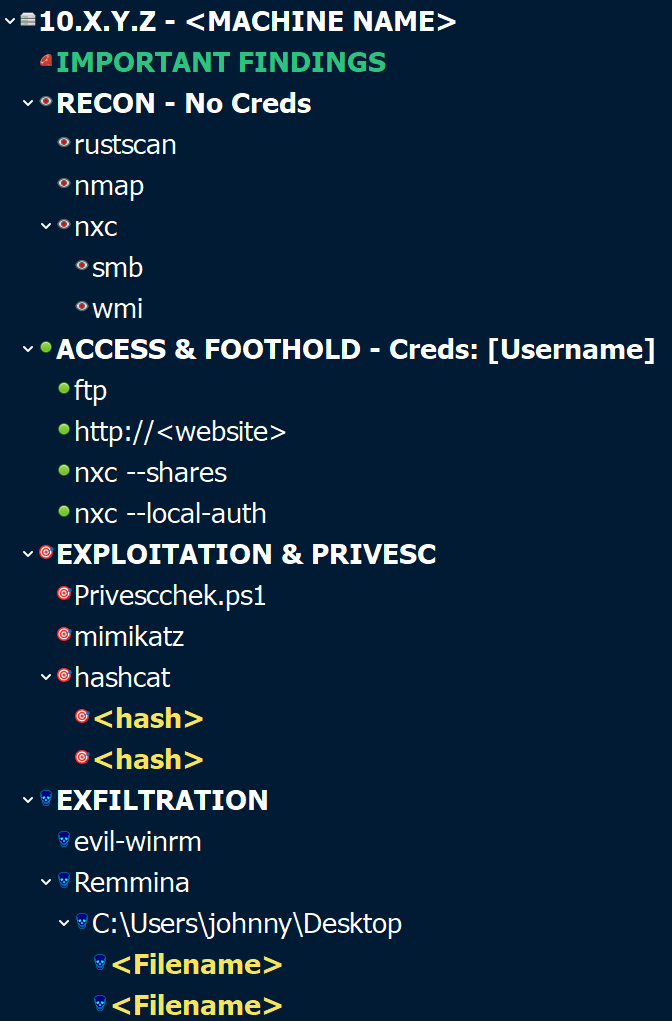
Each machine consisted of four default nodes.
- Recon
- Access & Foothold
- Exploitation & PrivEsc
- Exfiltration
Under these new sub-nodes were spawned and created based on, for example, under “Access & Foothold,” dependent on the tools used or findings made. I think you get the idea. I’ve used this structure for quite some time and feel it provides me with a very good overview supporting my methodology. As you can figure out, if the machine is a domain controller vs an IIS, the sub nodes might differ a bit —> some different tools will be used for further enumeration, exploration etc., dependent on the machine.
And as the Kinetic Range consisted of 25 machines spread across several domains and subnets, this came in very handy. If you don’t take structured notes, in the kinetic range/CTF/a security testing exam (OSCP, OSEP, PNPT, CRTA…)/security testing assignment, you will be in a less favorable place pretty fast. Each of these different scenarios requires documentation in a different format. But there is a very significant similarity in learning how to structure and document your work. If you make it a discipline to always structure what you do, you will become better at it. I think this learning part, i.e. documentation, is something many people doing CTF’s/ranges/simulated exercises should practice more at. You don’t need to write full-fledged security testing reports for each and every CTF you take on, but doing the reps will improve your skills.
Your customer doesn’t pay you as an offensive security professional for that reverse shell or custom-made exploit. The pay you, to a high extent, for the documentation and the recommendations within that report for how the identified and exploited vulnerabilities shall be mitigated.
And creds to all those who do and share write-ups & walkthroughs of those machines/chains/ranges you do! This is a very good way to strengthen your documentation and reporting skills!
The structure, for how I document, simulates a security testing process, but in miniature, where the focus is on having enough structure to support the long-term mission of the objective. I try to create different sub-nodes for the tooling used, where I add screenshots of conducted commands & results, and store the commands I run. Doing so gives me a clear idea of what form of tools I’ve used, findings I gained (or not), and an easy way to replicate the command and finding if needed.

The tooling you need to complete the Kinetic ranges is found within Kali Linux or in the range itself. I choose to do some post-exploit things in the kinetic range with the help of a C2, in this case, Adaptix C2. But you will do just fine without one and can accomplish the same things with the help of Metasploit if one chooses to. There are, though, some machines that will require you to do a bit of research on known exploits, tweak them for your purpose, and situational context.
Now you might ask yourself: why did you choose to do some of the post-exploit with a C2, of this was not needed to accomplish the kinetic range? Easy —> learning opportunity. I’ve heard many offensive security people out there that I respect mention Adaptix C2 as a very capable C2 framework. And I think that the best learning comes from clicking the buttons on your own. And I don’t think this is also something that ranges like these offers. You are more or less conducting a security testing assignment in an environment that is new to you. Yes, you can spin up your own lab environment and test things out, but personally, I think ranges and chains (CTF consisting of several machines) provide a phenomenal learning opportunity. In before—> “The real world is not a CTF yada yada” thoughts.
Yes, this is 100% true. But this, on the other hand, doesn’t mean the learnings one can get from an offensive security point of view aren’t there. There are plenty of offensive security pros who have come from the CTF world. Not me saying that this is the way to go, but this is how some security people have done it. There is a carryover over (from the CTF world to IRL) but there are some limitations as well. I think, though, that it is very much up to the “student”, i.e. person behind the Kali Linux keyboard, that decides how high the knowledge transfer from a CTF, chain, range, etc will be. If one goes in there and spends less time on, for example, documenting and reflecting on potential root causes and how the stuff you experienced could be applied in, for example, your own or your customers’ organization, I think you are missing out on important learning opportunities. You are kind of sub-optimizing your learning investments.
The kinetic range does a great job in exemplifying how poor cybersecurity hygiene can result in a full domain compromise. You will experience patterns such as weak:
- password and secrets management
- patch and configuration management
- asset lifecycle management
- information management
- application of least privilege principles
- application of network segmentation and separation
You will (or should) identify and come across patterns such as:
- password reuse
- unpatched machines
- missconfigurations
- poor security hygiene
I could make these lists longer, but save me the typing and encourage you to find out as you take on the Kinetic range.
MORE REFLECTIONS
Things I have thought of:
- Redoing the range using a Windows machine as the attacking machine. This would be a good learning experience and an opportunity to create some custom PowerShell tools. I’m more used to operating an attack from Kali Linux and not from a Windows machine. On the other hand, there are situations irl where you need to run your attacks from a Windows machine.
- The initial access scenario could be a bit different to better replicate an irl scenario. Not saying it doesn’t, but one example could be to start the mission from outside of the organization with external OSINT, followed up with pivoting and lateral movement from outside to inside the organization. Without spoiling, parts of this are actually somewhat in the scenario but are played out from inside the organization/range.
- The range makes a good job of ensuring finesse is used and low usage of aggressive attacks, such as password brute forcing and spraying. You will need to do it, but on a limited scale based on the kinetic range instructions.
- I think this range is somewhat PNPT on both steroids and crack at the same time. They are not a 1:1 comparison in any way. From a “principle” offensive security point of view, you will experience similarities, but the Kinetic range is more advanced. Everything is a couple of notches cranked up. And for those aiming to take PNPT I think the Kinetic range from Slayer Lab makes up a good primer. You will get to test out your methodology in a large environment spanning several domains and subnets. But this is not how I did it. I went for PNPT first, as I discovered the Kinetic Range from Slayer Labs later on.
- Doing the range and trying to do as much as possible with the help of a C2 framework, for example, Adaptix or Sliver. A C2 is not necessary, as I mentioned earlier, to complete the Kintetic range, but I think it could be an interesting learning opportunity. C2 frameworks are something I personally think is interesting.
It took me 13 days, spending a couple of hours each evening, to complete the Kinetic range. I didn’t have a set deadline for when I needed to complete it. My goal was, as I said earlier, to test out my methodology, have fun, learn at my own pace, and take the time needed to pwn the range. And now, when I’m finished, I’m very happy with the outcome. There are some things that I would do a bit differently the next time in a multi-domain environment if there was a time cap or deadline, for example, in an exam environment where you have limited time, like, for example, between 4-24 hours. In this case, you need to apply some time management principles to your attack strategy. Some stuff you don’t have time for to do, as the exam is not designed for you to need to run a scan, take a certain number of hours, develop scripts, and bla bla bla.
Now that was not a part of the equation, I could contemplate each step and give them as much time as I wanted. This form of learning is golden! The kinetic range doesn’t put any limitations on what tools to use or how to do your attacks. There are, of course, preferred ways that will lead you to the finish line, but it’s up to you to engineer the attacks for each machine in accordance with accomplishing the objective for each machine and the Kinetic range. Without knowing or being absolutely sure, I think there are several potential ways to get to the final objective. There are a couple of machines you need to pwn, but the way to them and in between your adventure, I think, can take multiple different paths. And I’m pretty sure that some machines can be pwned in more than one way. One of the reasons is due to that the range is not kept updated with patches, but I also get the feeling that some machines and parts of the kinetic range offer several ways. In certain scenarios, I found more than one way, and this is also something close to reality. The path to compromising an organization is not a set path. The principles might be more or less the same how to do it, but not the practical application.
Another thing I liked about the kinetic range was that it didn’t feel CTFish. It was less about the puzzle thingy –> “Download all pictures, run strings, stenography, build a wave file, run it through a transformation software, get password hint, grep rockyou.txt for names, brute force web interface, download all cat pictures from website, pick first letter from each cat’s name, scramble together the password”. I’m not that much for the CTFish puzzles, maybe because I’m less good at them. Personally, I like CTFs and ranges that are trying to replicate IRL situations.
QUALITY
The quality of the Kinetic range I consider very high, for example, higher compared to some other platforms and offensive security exams. I don’t see any reason to point out which one I compare my experience with at this point, but what can be said is:
- I didn’t experience any outages besides one that was needed due to emergency maintenance.
- No problem with capturing reverse shells.
- No problems with latency.
- No problems with VPN connection to the range.
- No problem with tunneling and pivoting between machines in the range.
- No lag during interactive desktop interactions
- No negative effects from running tools from my Kali Linux machine within the range.
And it shall also be mentioned that I live in Sweden. The range is located in the US. The overall experience was super good! The only feedback I have, which is a small one, is that it would have been helpful to be informed by the emergency maintenance.
When it comes to the quality of the support from Slayer Labs, from my initial contact and as a “customer,” it has been super good. When you sign up for a subscription, you need to send an email to Slayer Labs. This could, of course, also be something that could be automated, but at the same time, I liked the interaction with Slayer Labs, as I had some questions. For example, about potential lag and latency due to that I’m living in Sweden and the range is located in the US. I got all my questions answered quickly and professionally.
Slayer Labs also has a Discord channel that I joined. The number of people in the channel is not super high, and the same goes for the activity. I would say that it’s low, which is a bit unfortunate. If you, for example, get stuck, there is a limited number of people who are active. On the other hand, Slayer Labs, i.e. the crew who host and have designed the ranges, actively support people if they get stuck.
I personally think it always goes into the positive side of things if there is an active community on platforms like these. It brings people together, you learn from each other, exchange ideas, can co-op on some missions, and increase team mentality. Usually, I do my CTFs and ranges solos, but here and there, I co-op with friends. It’s so valuable to learn from how others think and resonate. I like the idea of having a co-op mode option, and when it comes to CTFs/ranges, a community, to some extent, provides this option as I see it.
And that write-up/walkthrough/solution mode thing. I really appreciate that there are no official complete walkthroughs or write-ups made by people who have completed the Kinetic range. And I also like they the range is not providing a solution that people can take a sneak at. On the other hand, I have been very tempted to write a walkthrough and to do so in either a penetration testing report format or for each machine. But as I’m one of those who really appreciated the lack of an official solution, I will not create one. As mentioned earlier, if you are reading this article, are doing the Kinetic range, and get stuck and want a hint or my help, send me a DM on LinkedIn.
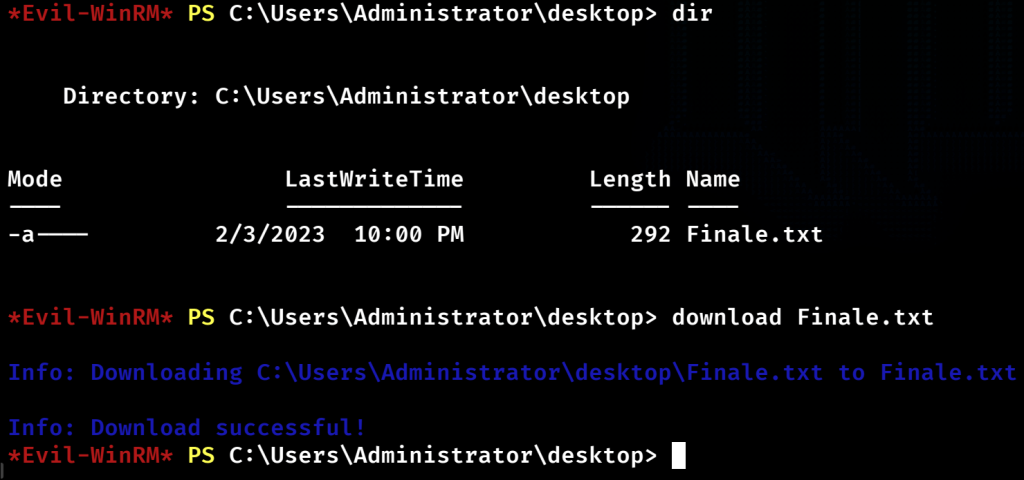
I’m tempted to do the solution in a penetration testing format, as this is a great way to improve your report-writing skills. But for now, I will leave it here and not put out an official ”solution”. I will honor keeping the mystery alive.
I’ve had the idea of redoing the Kinetic range by using a Windows machine as my attack box or with the help of a C2 framework. I haven’t fully decided on whether this is something I will do, but as I have the solution for the Kinetic range and have solved it from a Kali Linux attack box, it would be an interesting sequel adventure. At the same time, as I love to expand my learning, I’m more interested in taking on a new range/CTF/challenge. At this point, I have a couple of subscriptions on other platforms offering some interesting options. I think this is something and somewhat important to consider, as time is (at least personally) one of the most valuable assets you have to your disposal. I don’t like to waste my time.
Shit I do must be fun and interesting. It doesn’t always need to fill up a space of educational learning or knowledge, but mostly it does so as a result of where I choose to spend my time. This is due to I love to learn new things. I’m glad that I have a strong curiosity and love for learning new things. This is kind of who I’ve always been and approach things when I’ve found something interesting. Get obsessed with a subject, try to learn as much as I can about it, and have fun while doing so.
Henrik Parkkinen
 Henrik Parkkinen